
00
User Registration
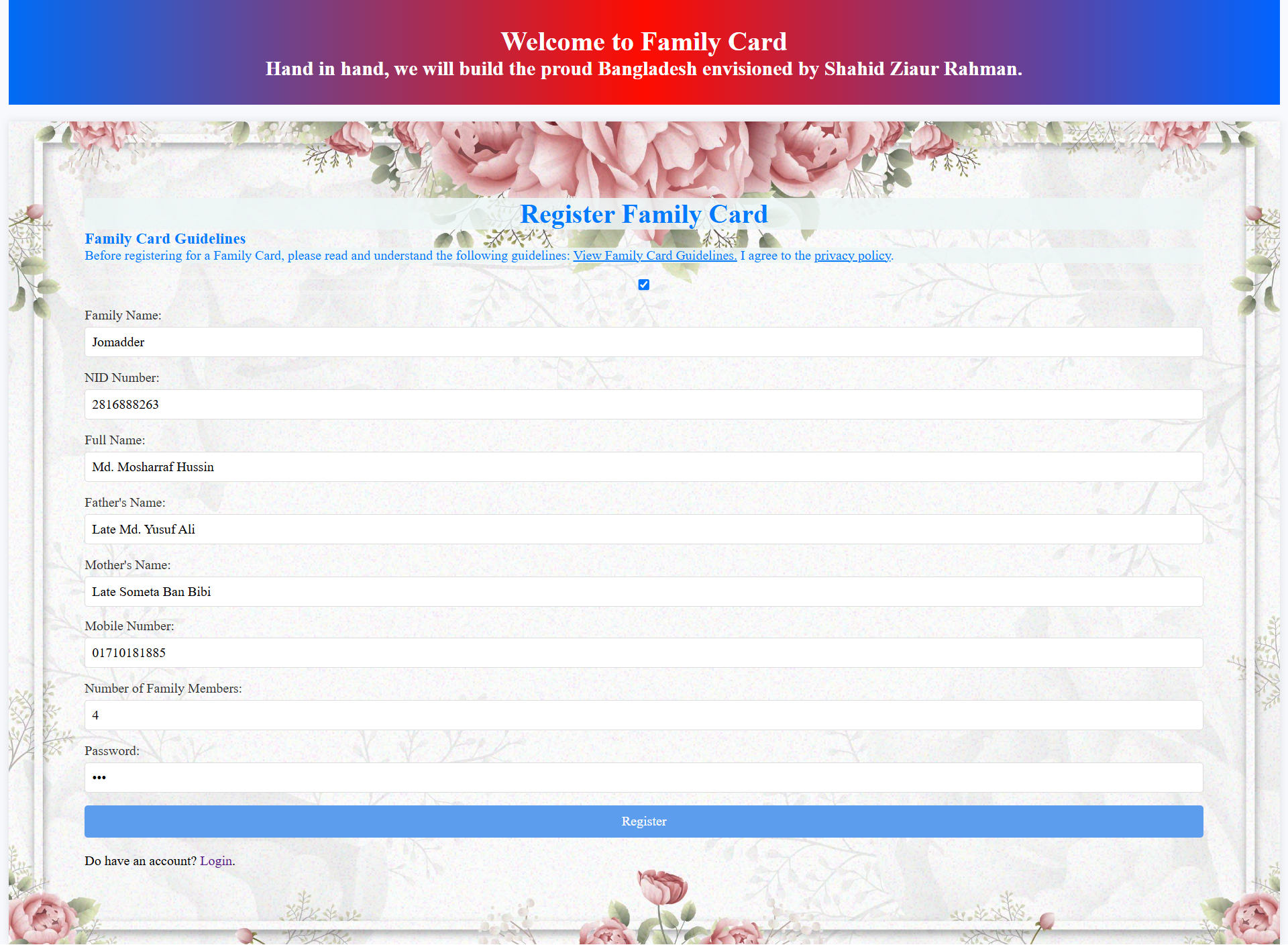
The registration interface allows new families to create a Family Card account by providing essential identification, family, contact and security information required for registration.
A complete digital platform designed to manage family information, family members, gifts, notifications and digital family cards through a secure and user-friendly system.
Family Card Management System is designed to simplify the management of family-related information and services through a centralized digital platform.
Manage family profile, members, personal information and related records.
Manage family gifts, benefits and gift history through a centralized system.
Provide important updates and notifications to registered users.
Authentication, password protection and secure API communication help protect data.
The User Panel provides registered families with a centralized and user-friendly platform to manage family information, profile details, assets, employment records, gifts, address, financial information, verification and digital Family Card services.
The registration interface allows new families to create a Family Card account by providing essential identification, family, contact and security information required for registration.
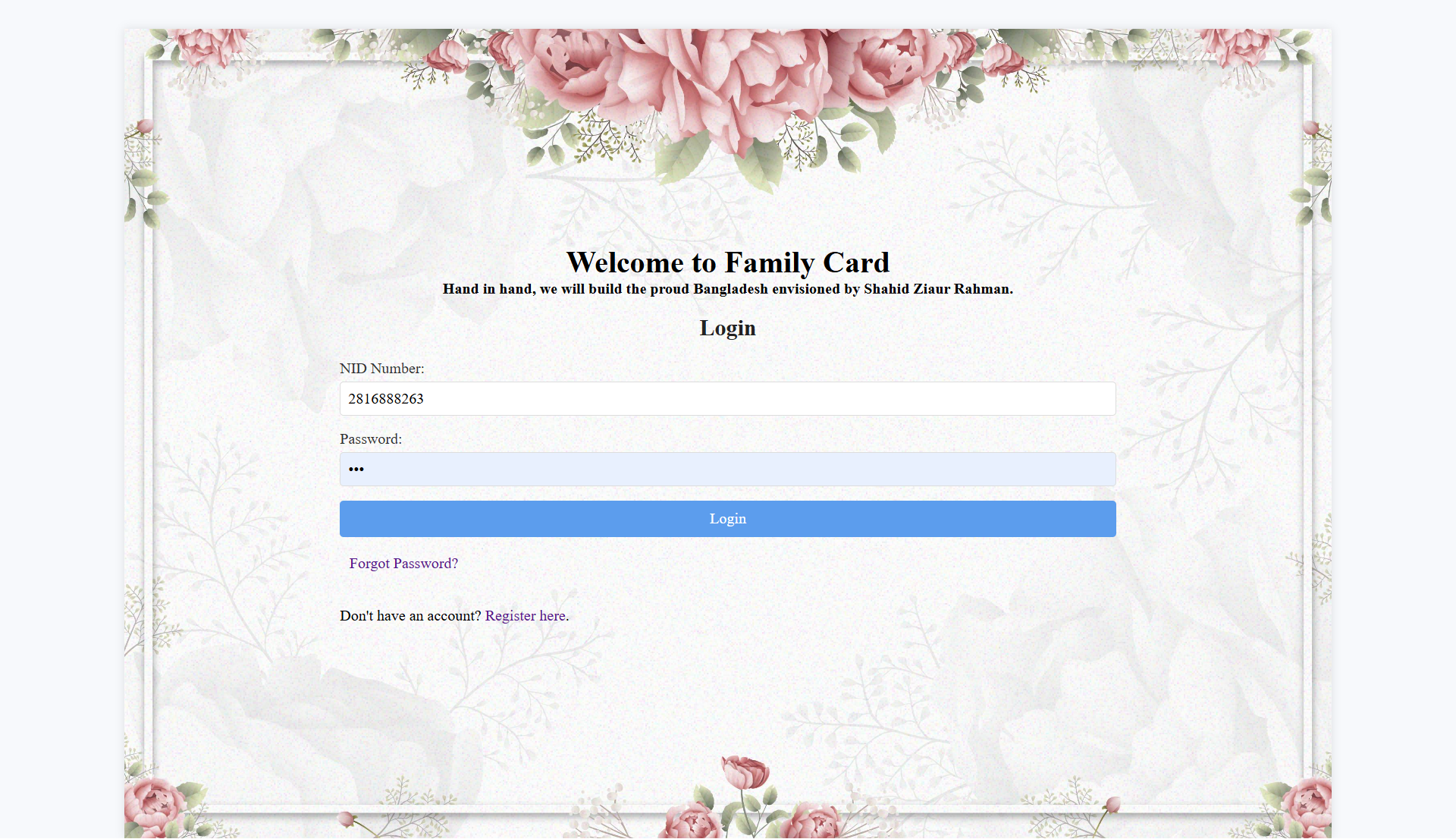
Registered users can securely access their Family Card account using their NID number and password. The interface also provides options for password recovery and registration.
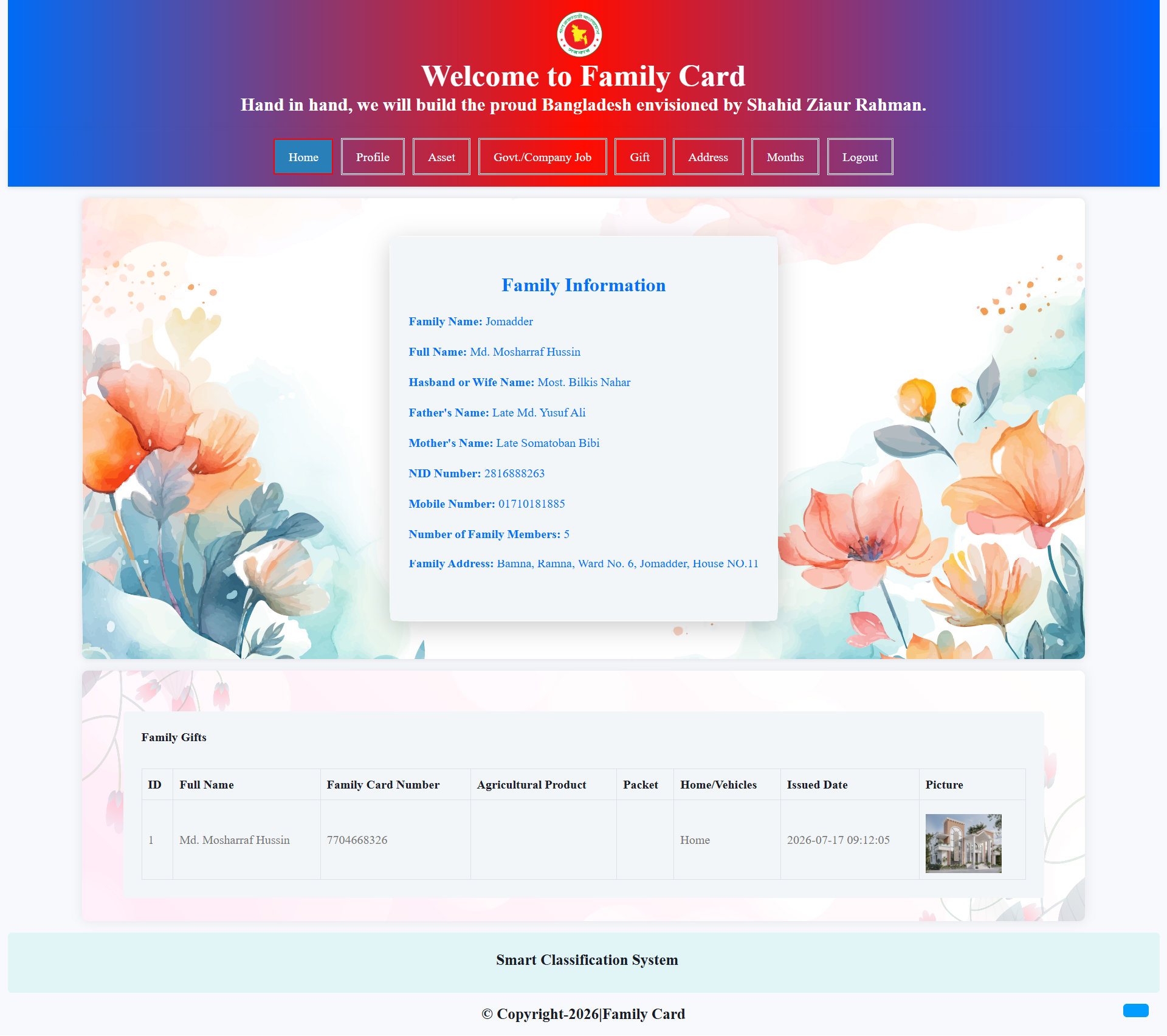
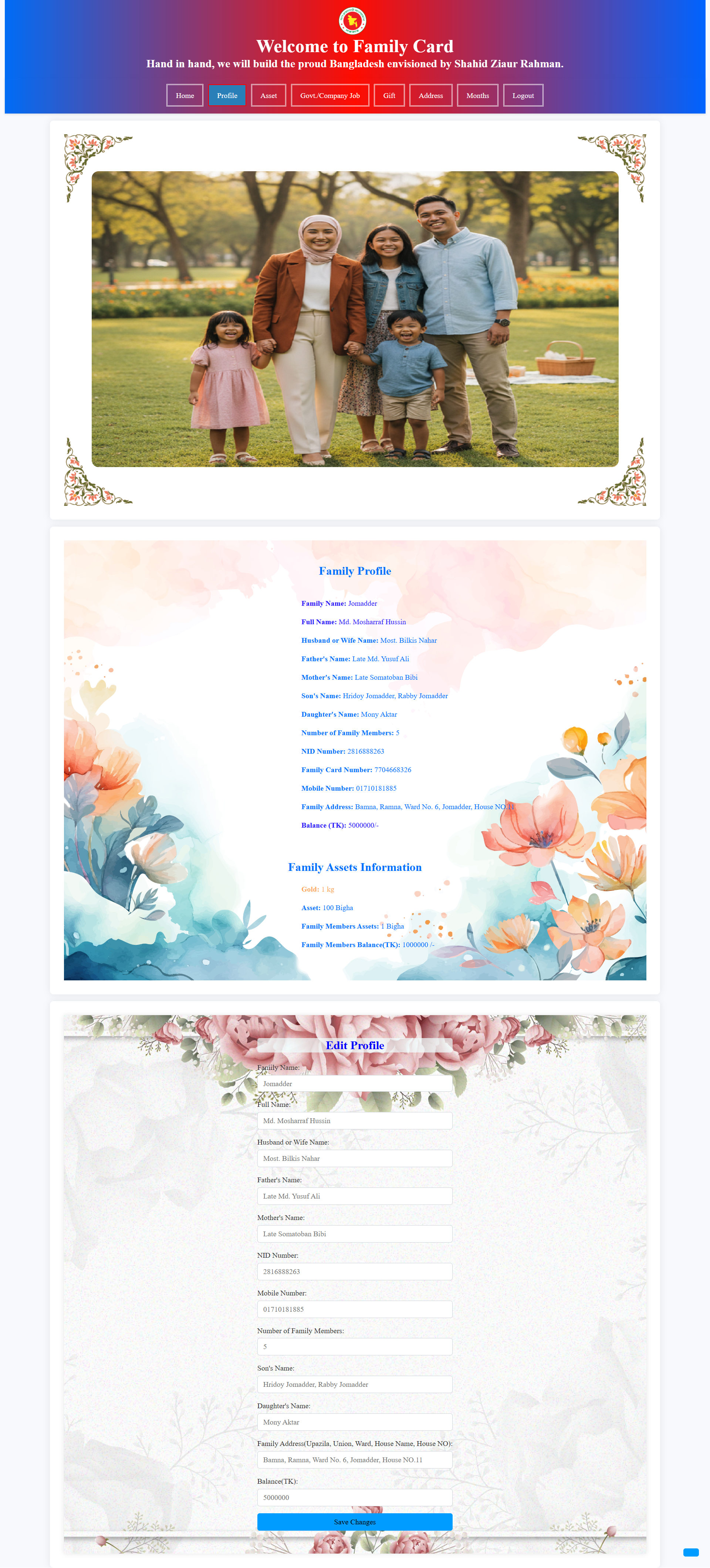
The Family Information page presents important household information such as family name, family head, spouse, parents, NID, mobile number, family members and registered address.
The Family Profile section provides a detailed overview of household and member information. Users can review profile data, family members, financial information and other registered details.
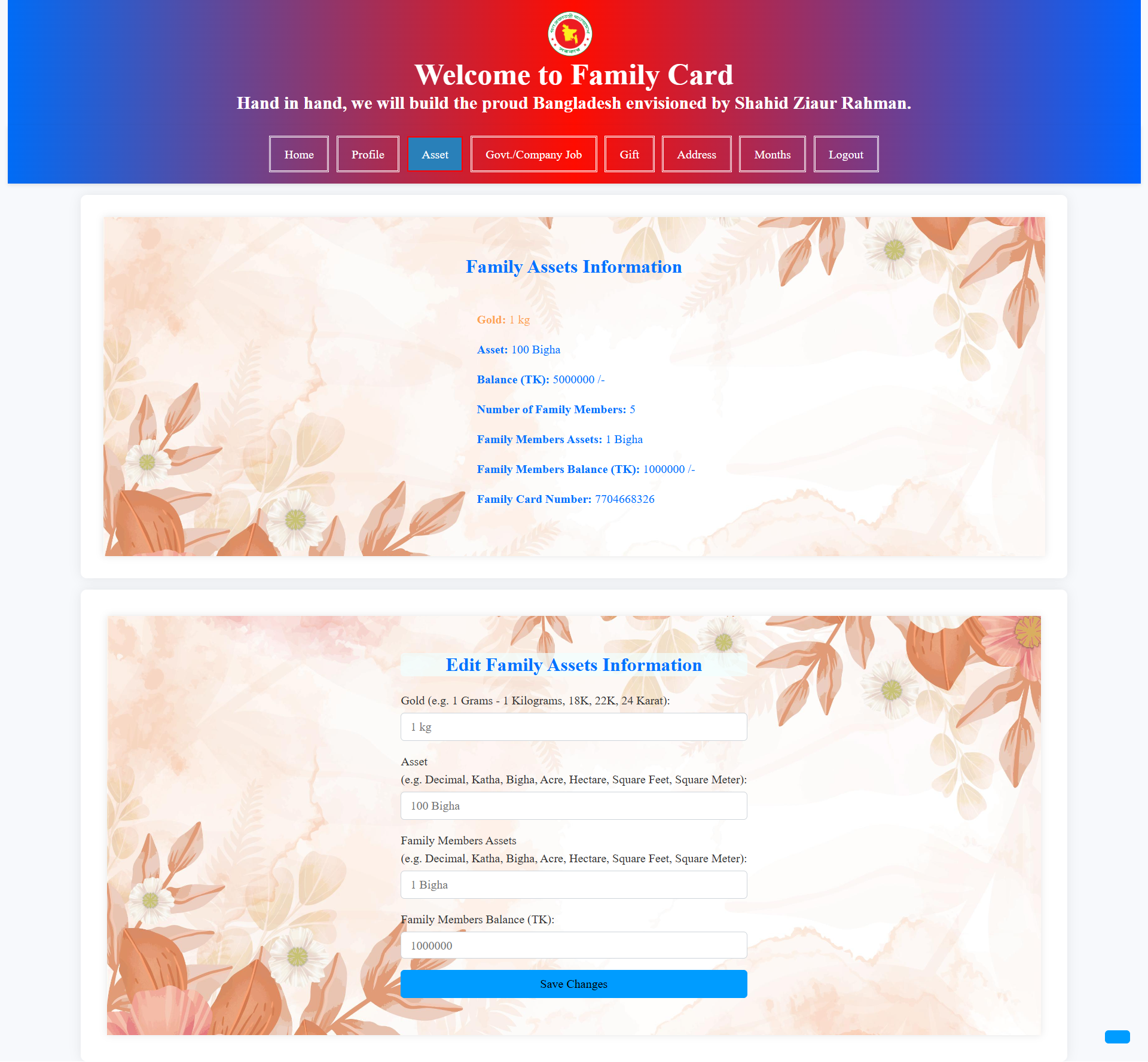
The Family Assets section allows users to review and update information about gold, land, agricultural resources, family assets, financial balances and other household-owned resources.
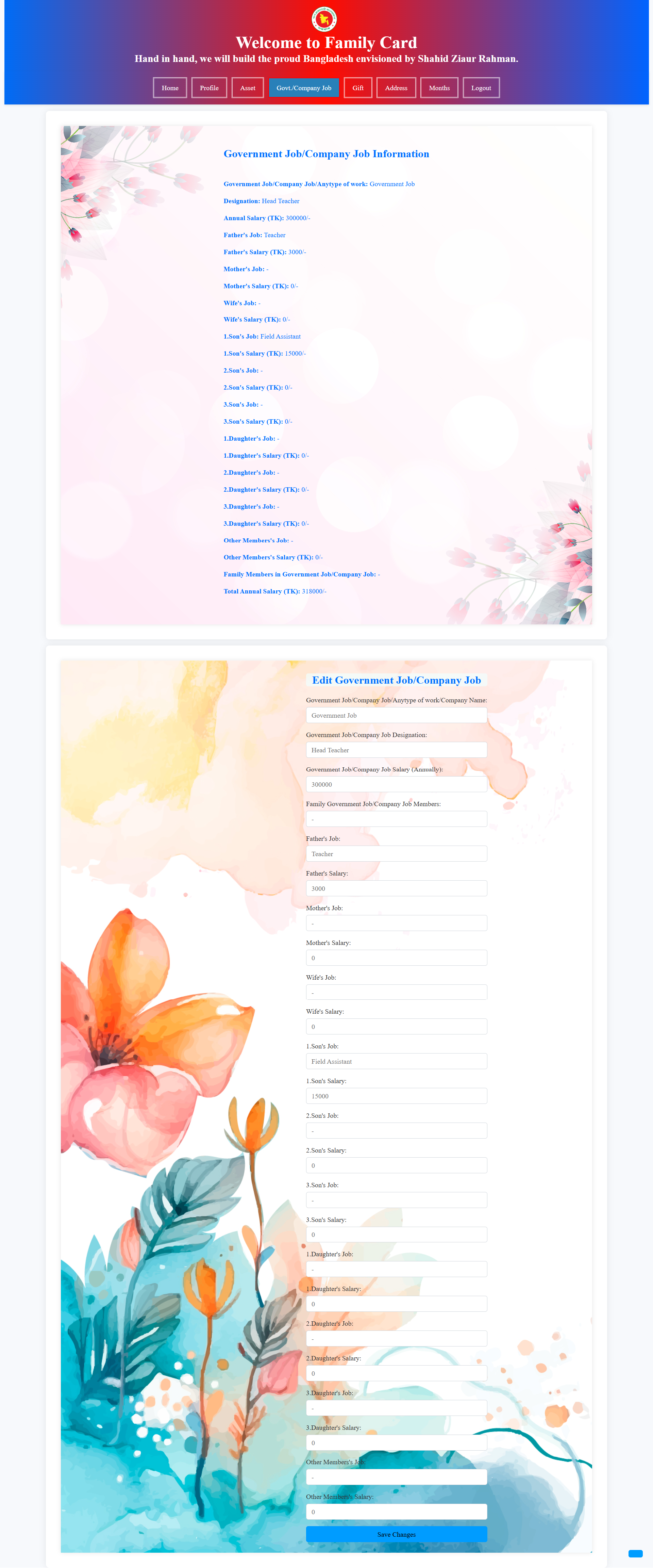
This section records employment information of family members, including government or company jobs, job positions, annual salaries and employment details of parents, spouse, sons, daughters and others.
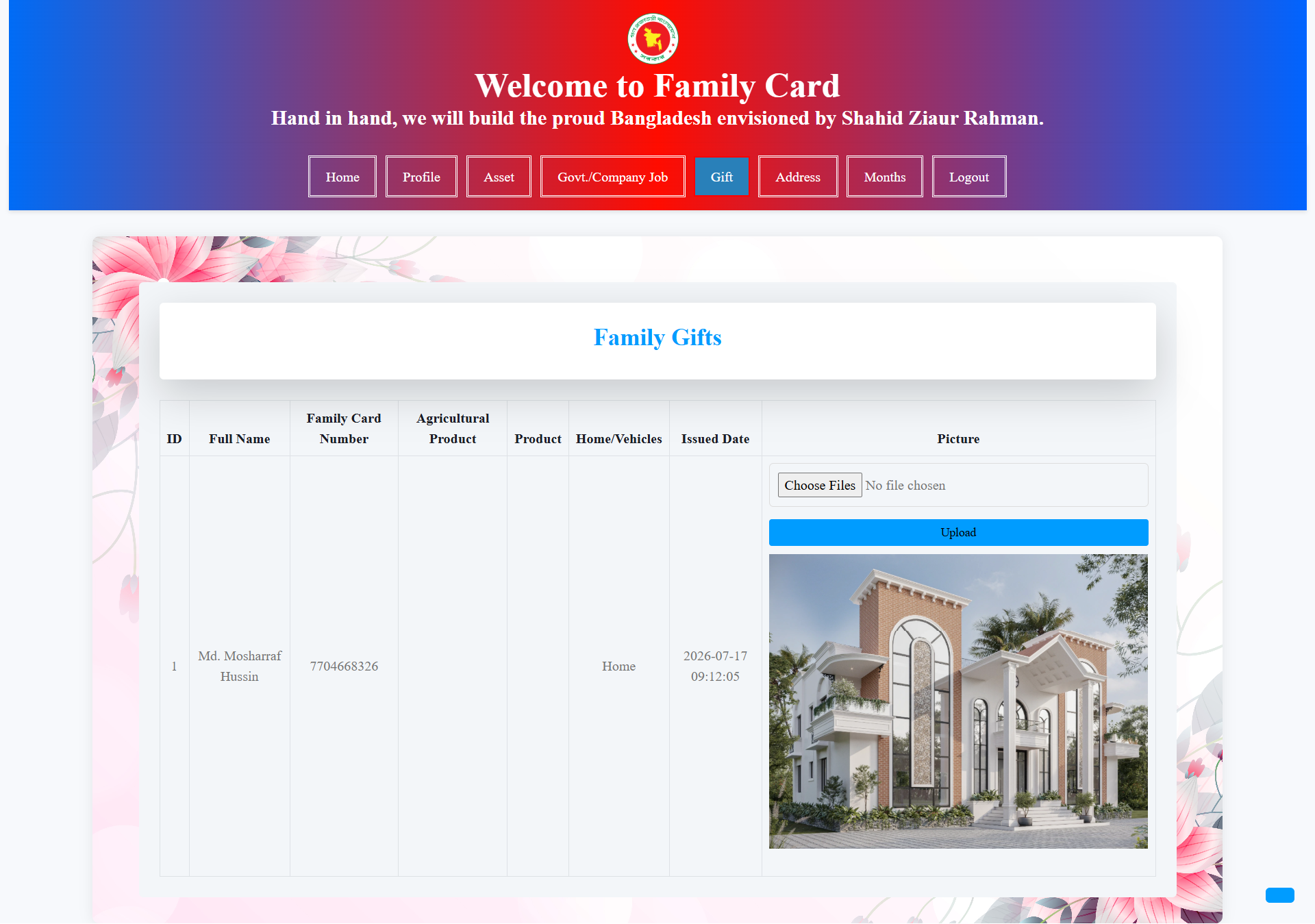
The Family Gifts section displays gifts and support received by the family. Users can view gift information, agricultural products, vehicles, household items, issued dates and related images.
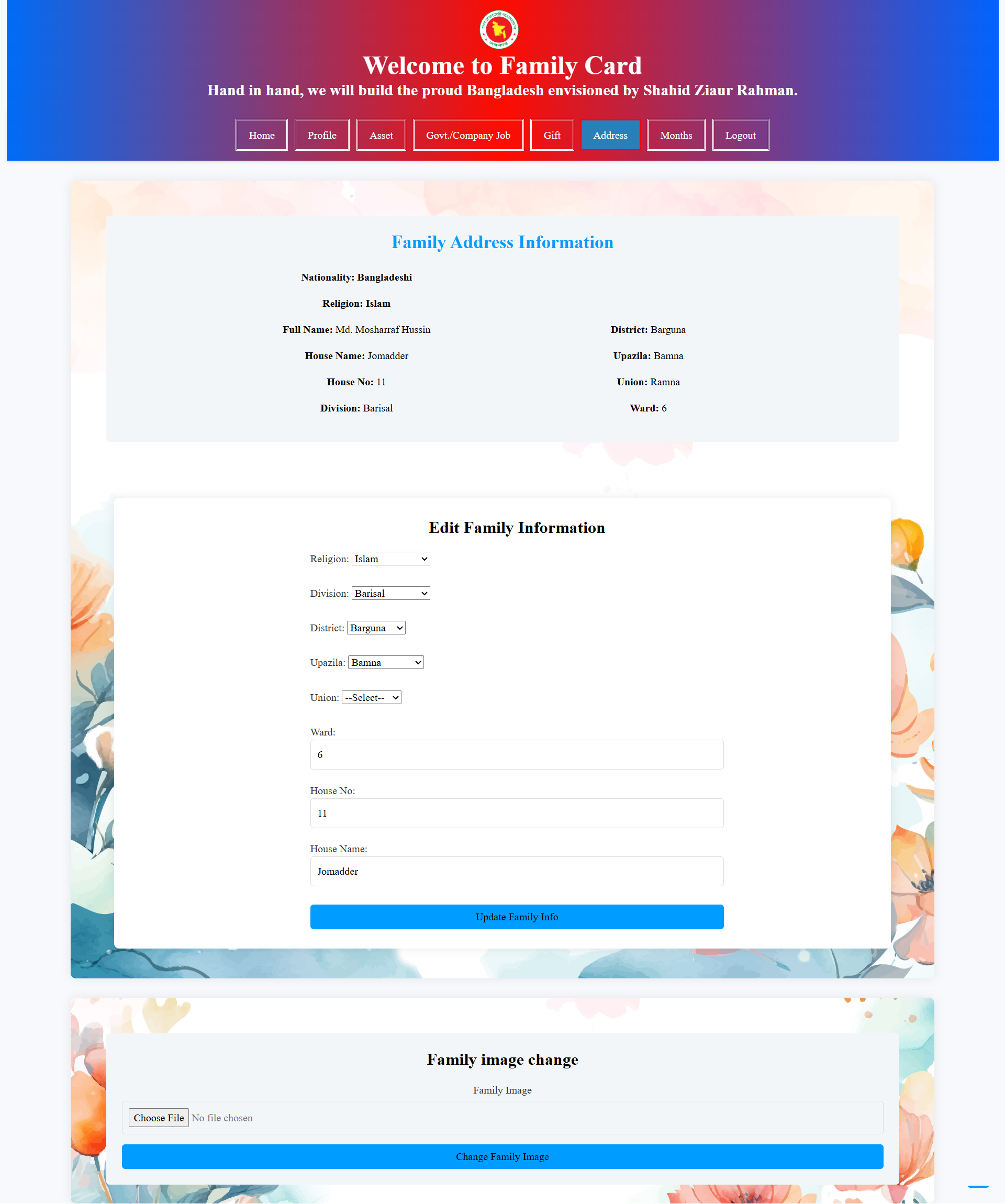
The Family Address section displays the family's registered nationality, religion, division, district, upazila, union, ward, house number and house name in an organized format.
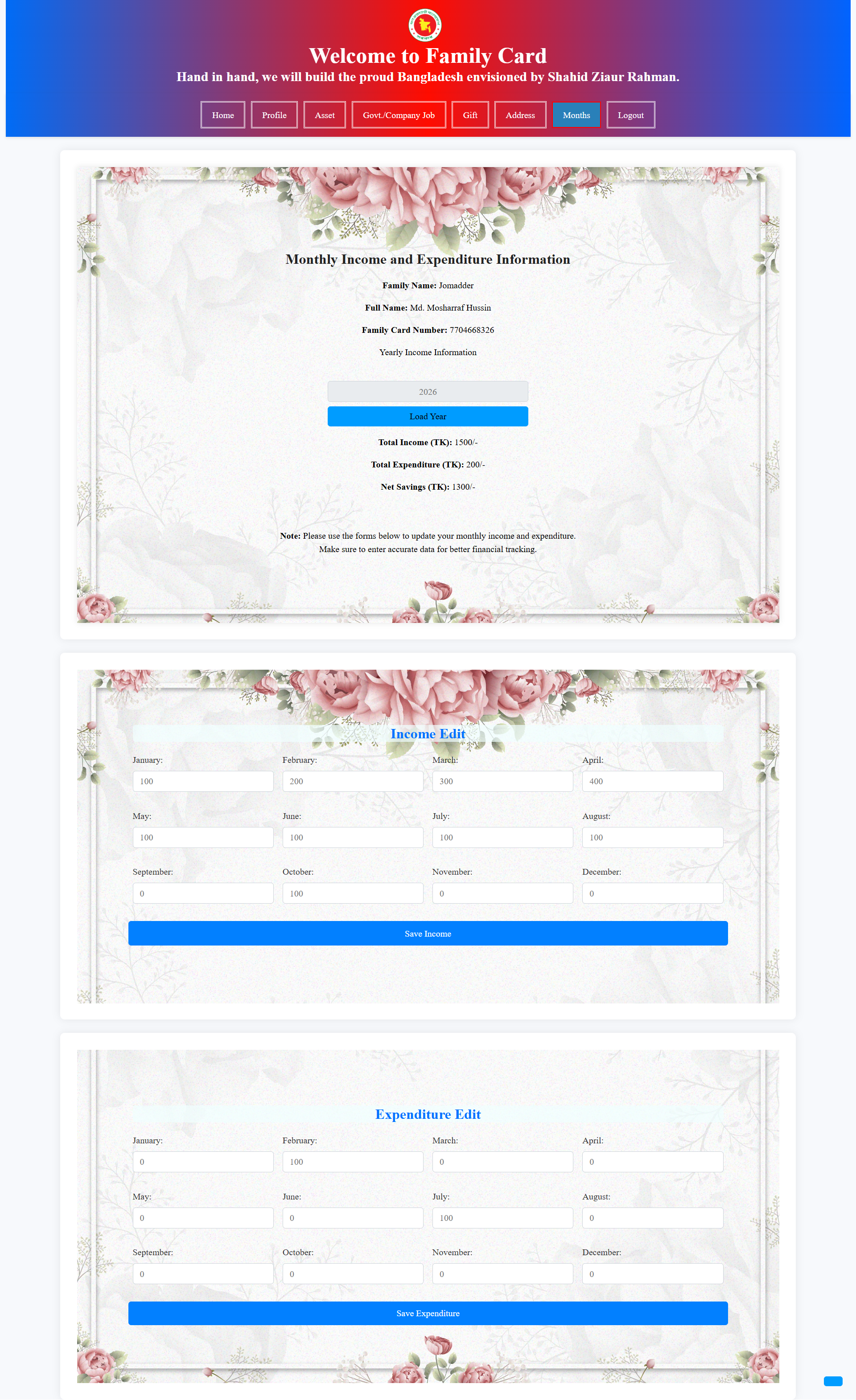
The Monthly Income and Expenditure section helps families record their monthly financial activities. Users can update income and expenditure for each month and monitor total income, expenses and savings.
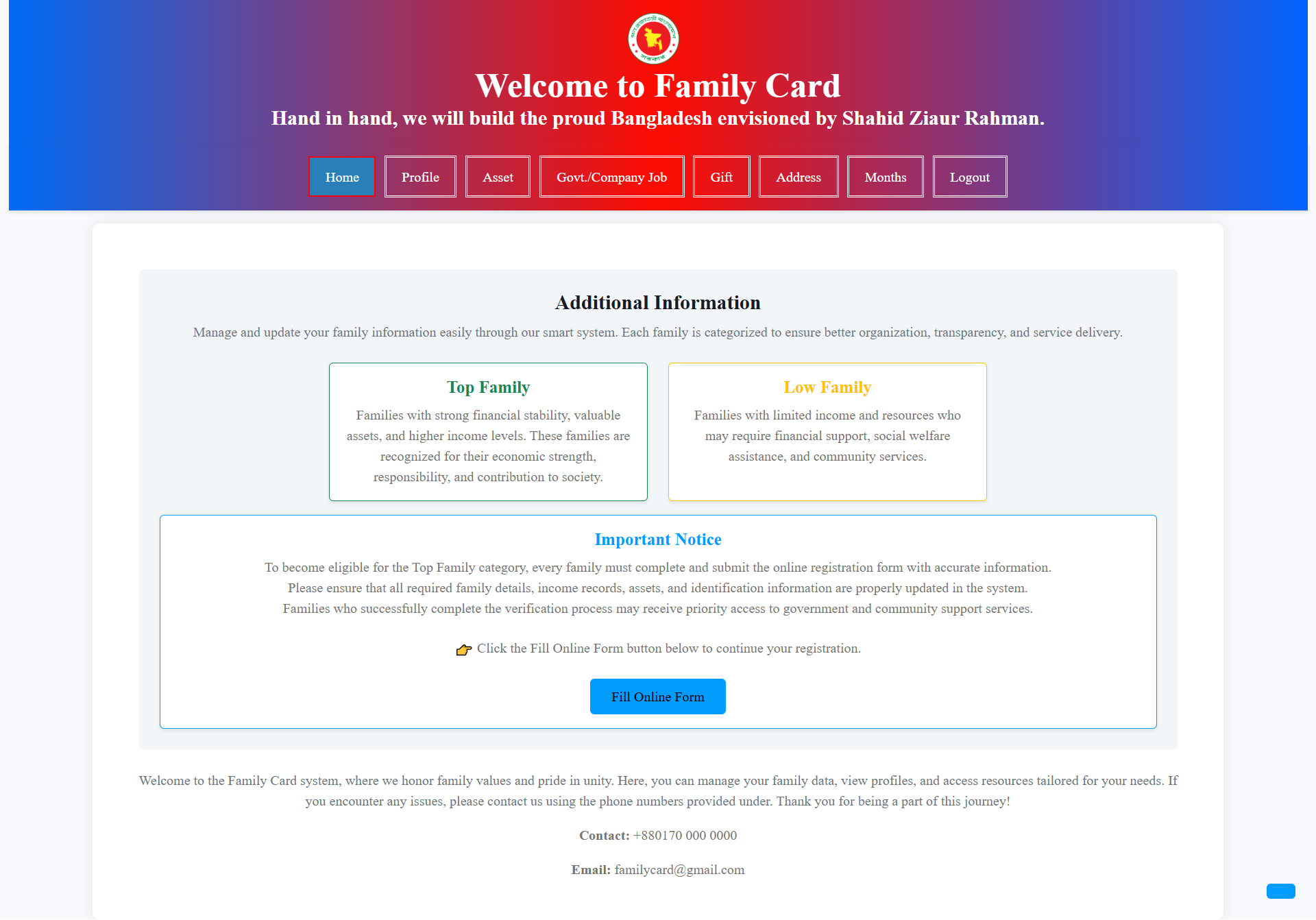
The Additional Information section explains the family classification system, including Top Family and Low Family categories, eligibility requirements and the information needed to complete the online form.
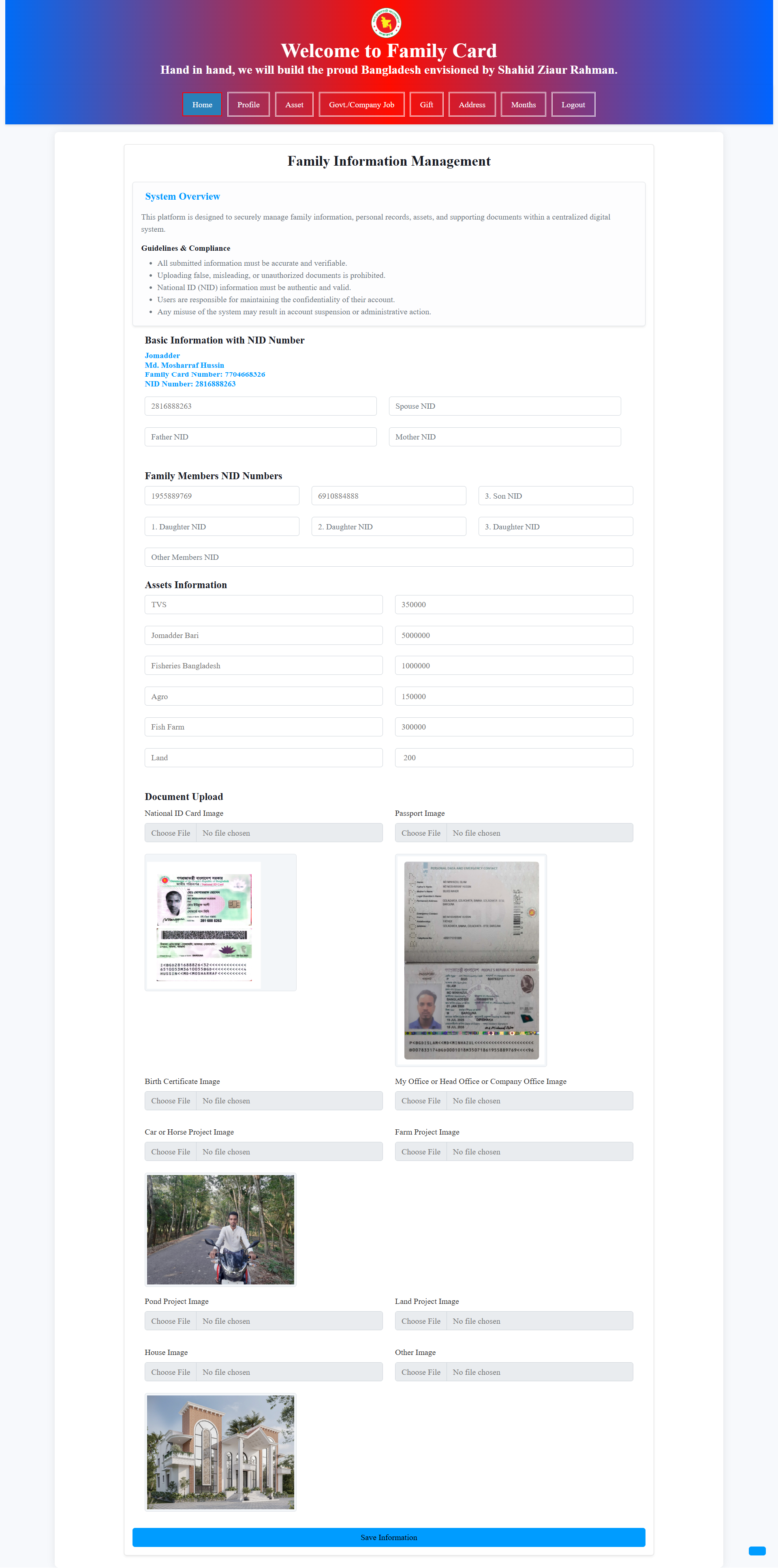
This comprehensive management interface allows families to maintain NID information, family-member identification, assets and supporting documents. Users can also upload important identification, project and family-related images.

The QR-based Family Card provides a digital identity solution for registered families. The card number and QR technology can be used to quickly access and verify authorized family information.

The verification interface confirms whether a Family Card is registered and verified. It presents the verified family's identity, family image, card number and available gift records.
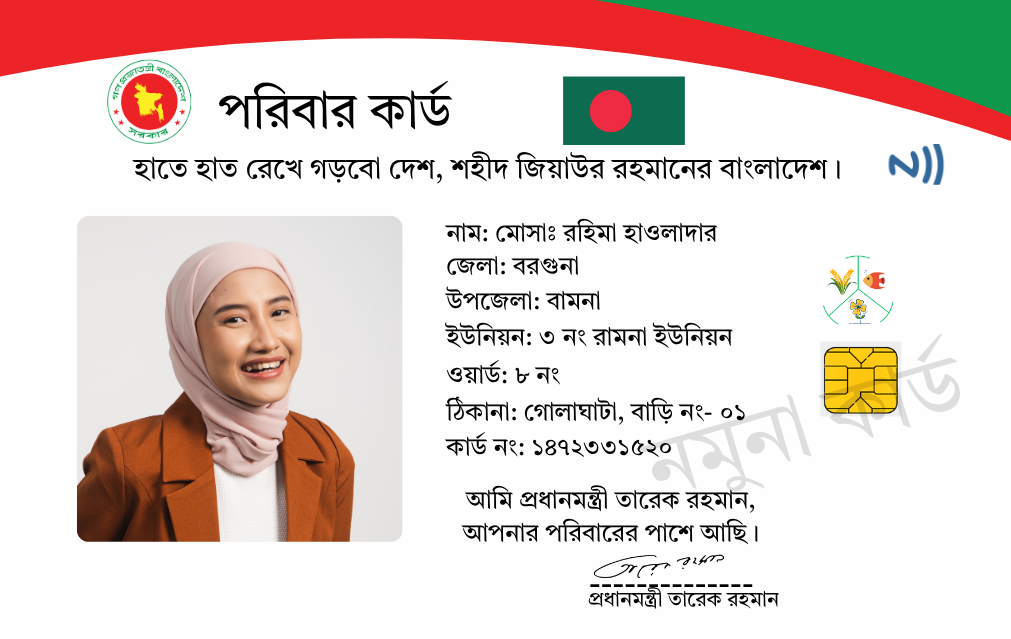
The front side of the digital Family Card contains the family member's photograph, personal identity, address, card number and other essential information presented in an official government-style card design.
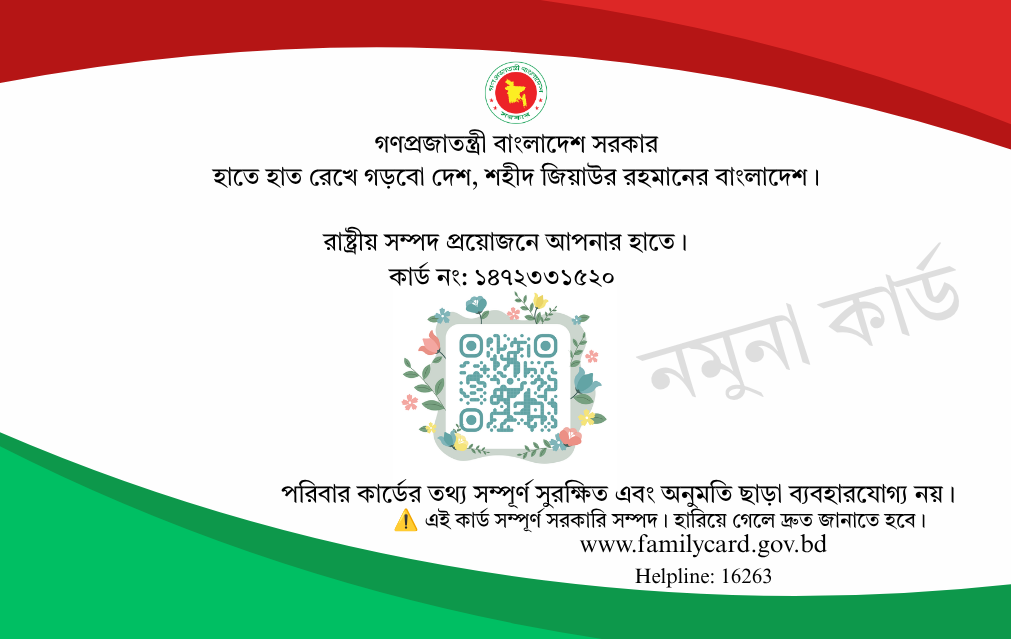
The back side of the Family Card provides additional security and verification information, including the QR code, card number, security notice, watermark, official website and helpline information.
The Admin Panel provides administrators with centralized control over the Family Card system, including user access, family records, financial information, assets, gifts, notifications and other important system activities.
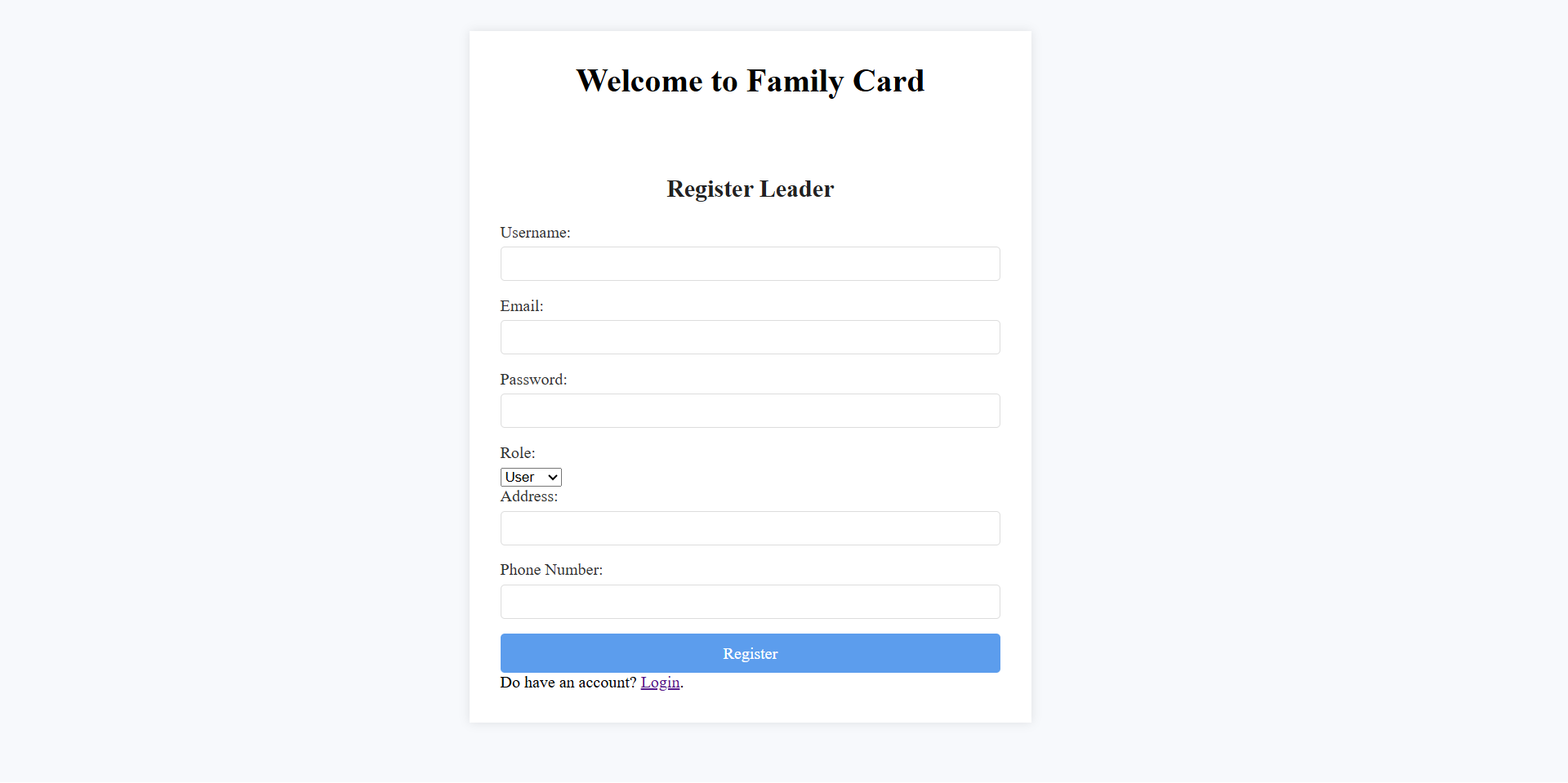
The registration page allows a new system leader or authorized user to create an account by providing a username, email address, password, role, address and phone number. This information is used to establish the user's identity and access level within the Family Card system.
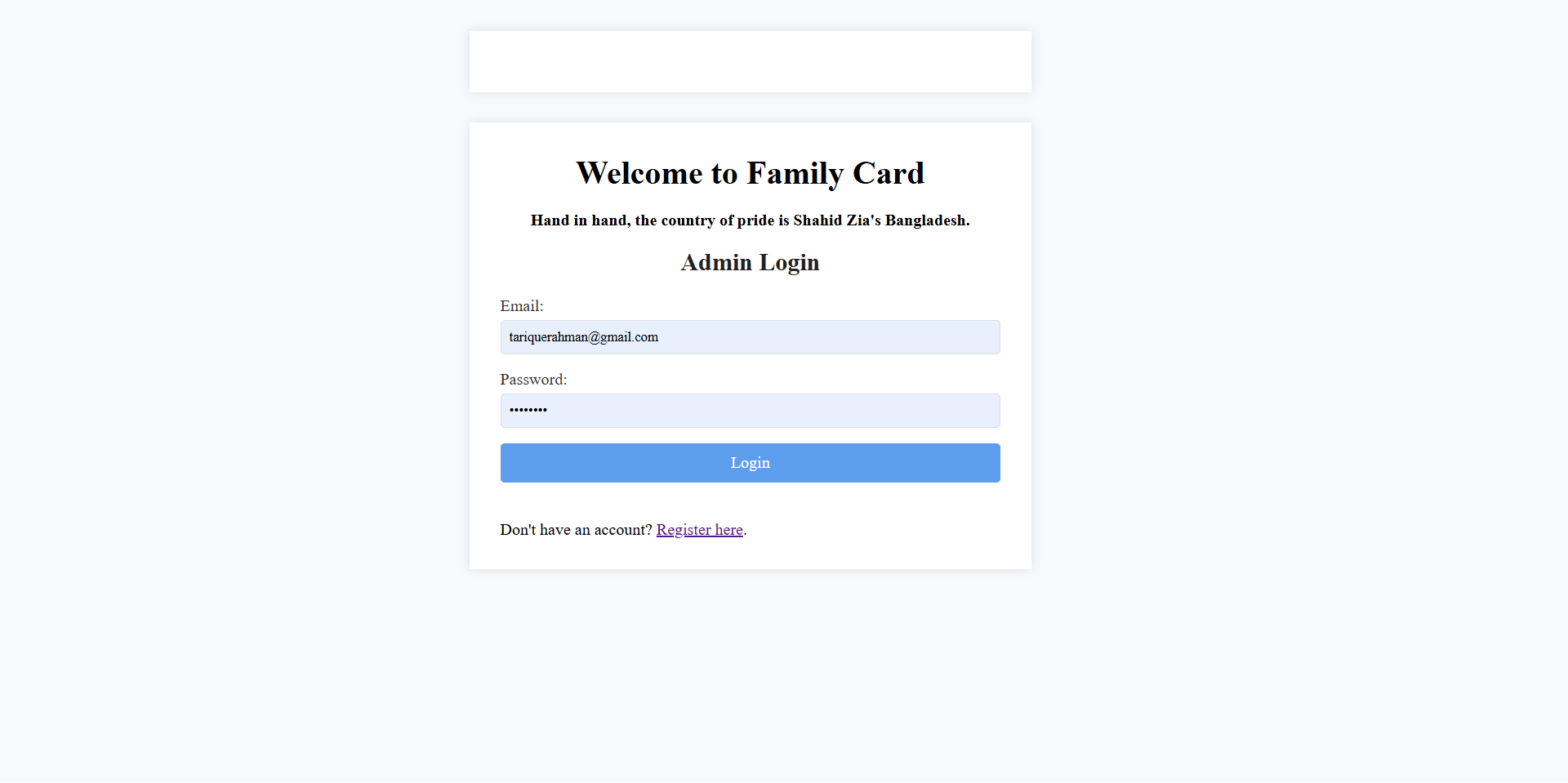
The Admin Login interface provides secure access to the management system. Authorized administrators can sign in using their registered email and password before accessing protected family records, system statistics, administrative tools and other management features.
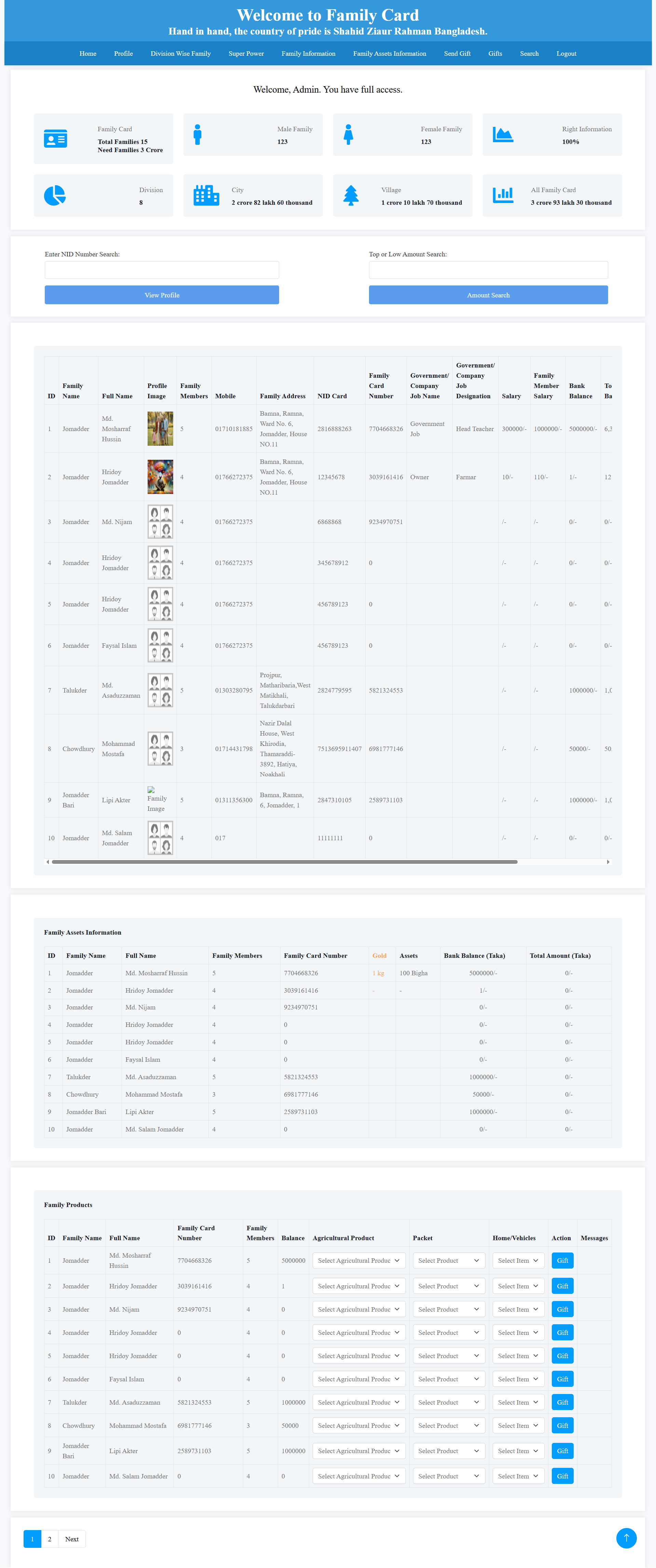
The main dashboard provides a centralized overview of the Family Card system. Administrators can monitor total families, family members, male and female members, divisions, cities, villages and overall family-card information from a single interface.
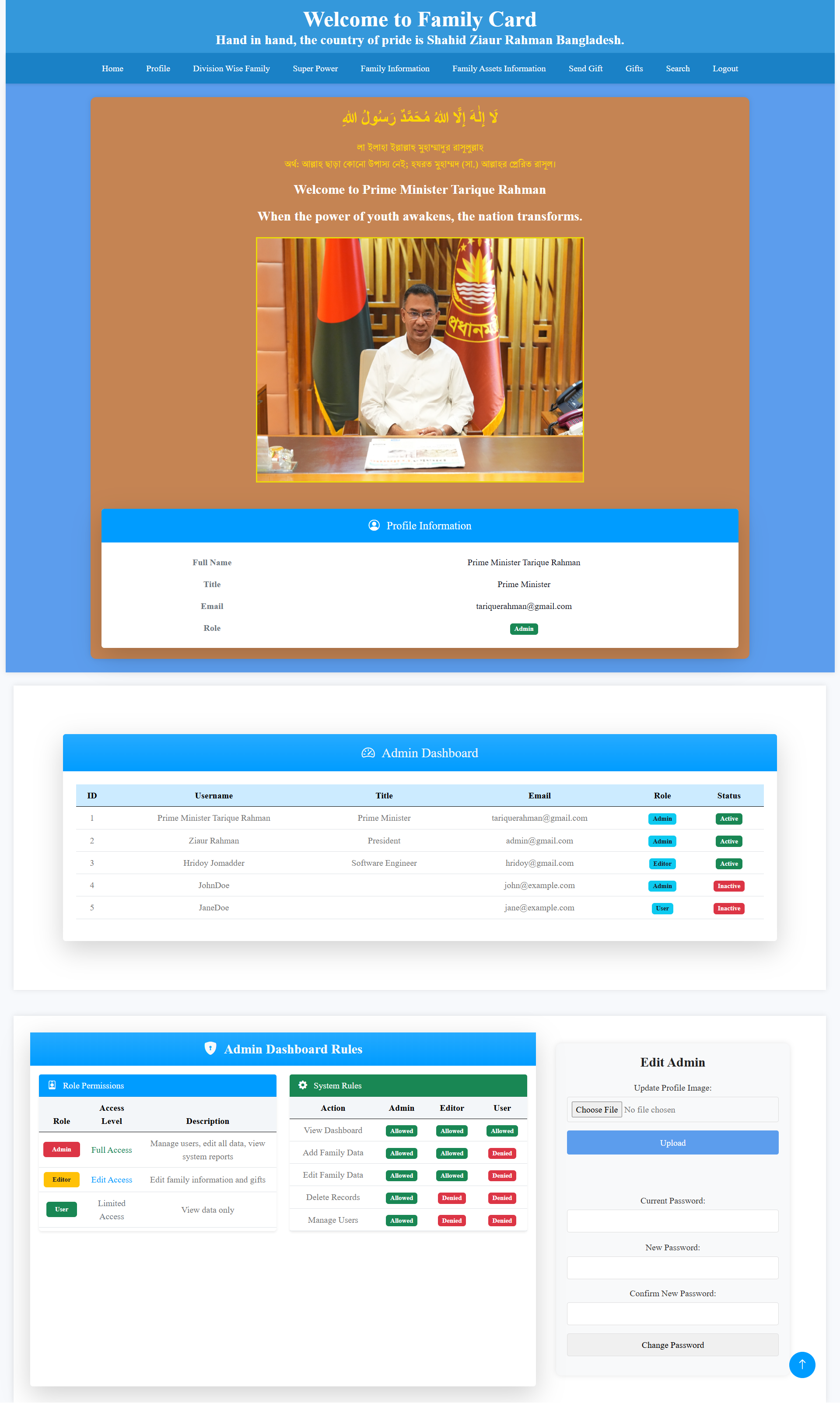
This section displays the administrator profile along with an administrative user list. It provides an overview of registered administrators and users, including their usernames, titles, email addresses, roles and account status, while also presenting important access and management rules.
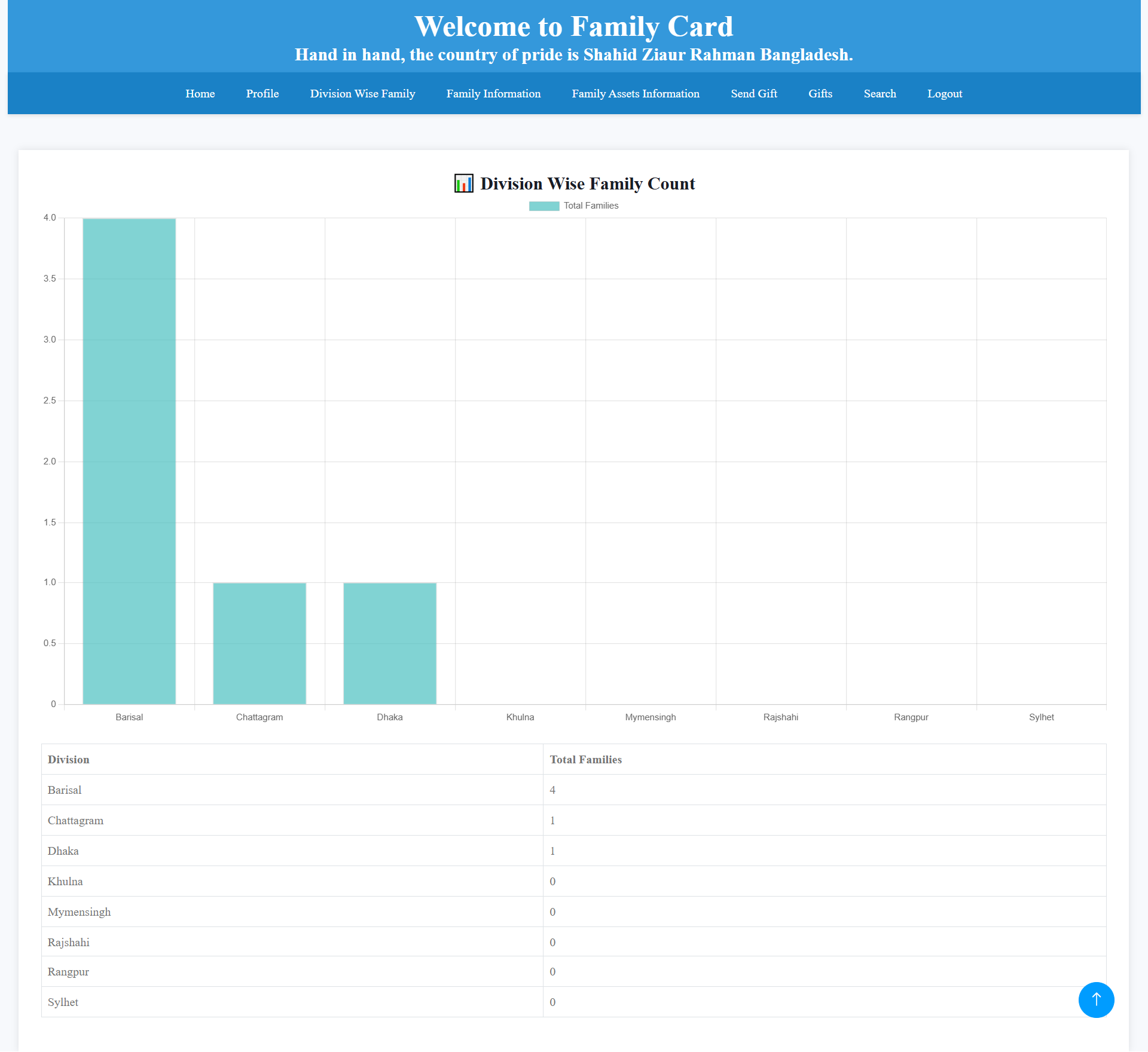
The Division Wise Family page presents family distribution across different divisions of Bangladesh. Administrators can view the number of registered families for each division through a visual chart and a corresponding data table, making regional family statistics easier to understand.
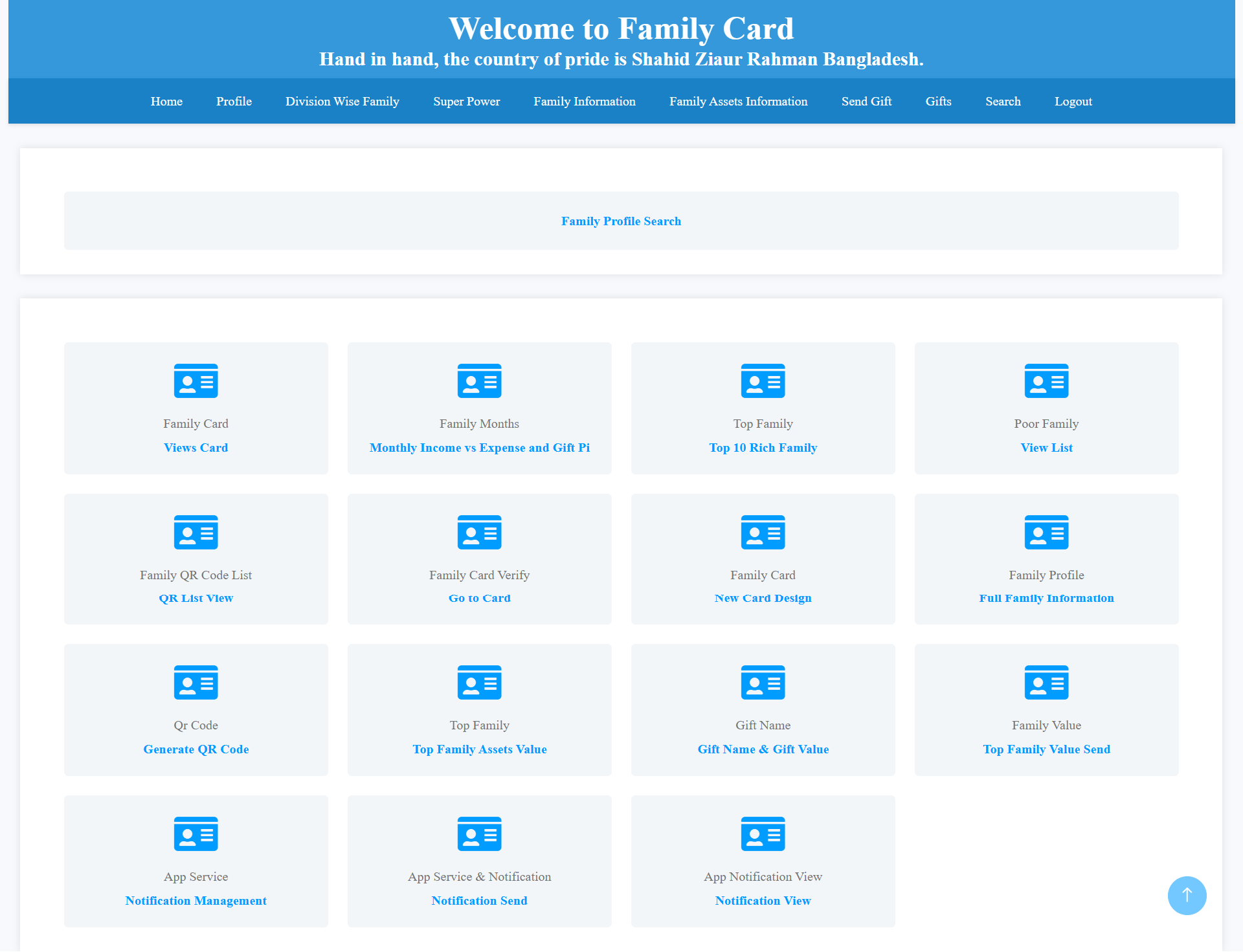
This management area provides access to different Family Card services, including family-card records, monthly income and expense information, top and poor family lists, QR-code services, family verification, family profiles, asset values, gift information and notification management.
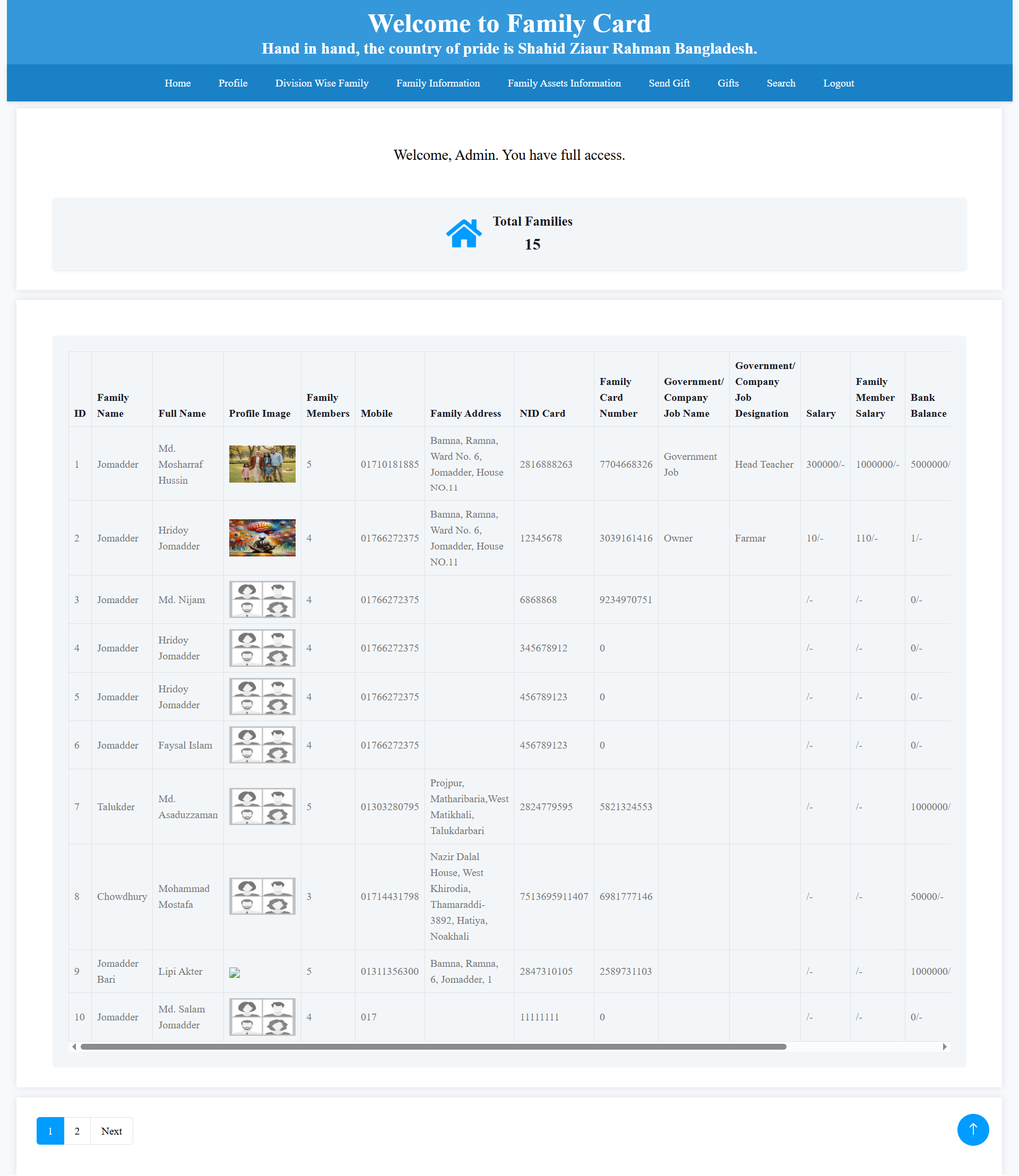
The Family Information section provides administrators with a detailed list of registered families. It includes family names, member names, profile images, family members, mobile numbers, addresses, NID information, family-card numbers, employment details, salaries and bank balances.
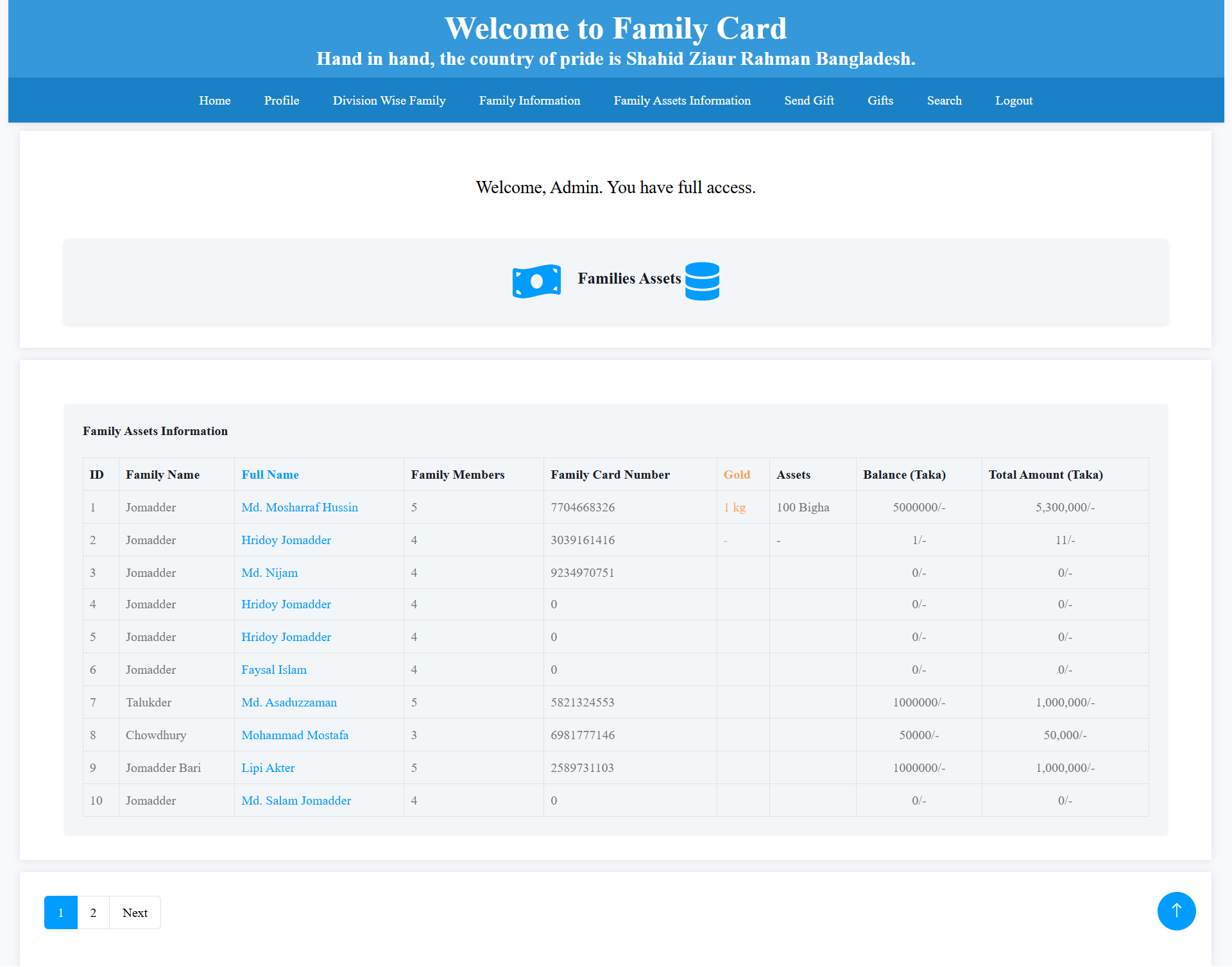
The Family Assets Information page provides an overview of the financial and physical assets owned by registered families. Administrators can review family members, family-card numbers, gold holdings, property or other assets, bank balances and total calculated asset amounts.
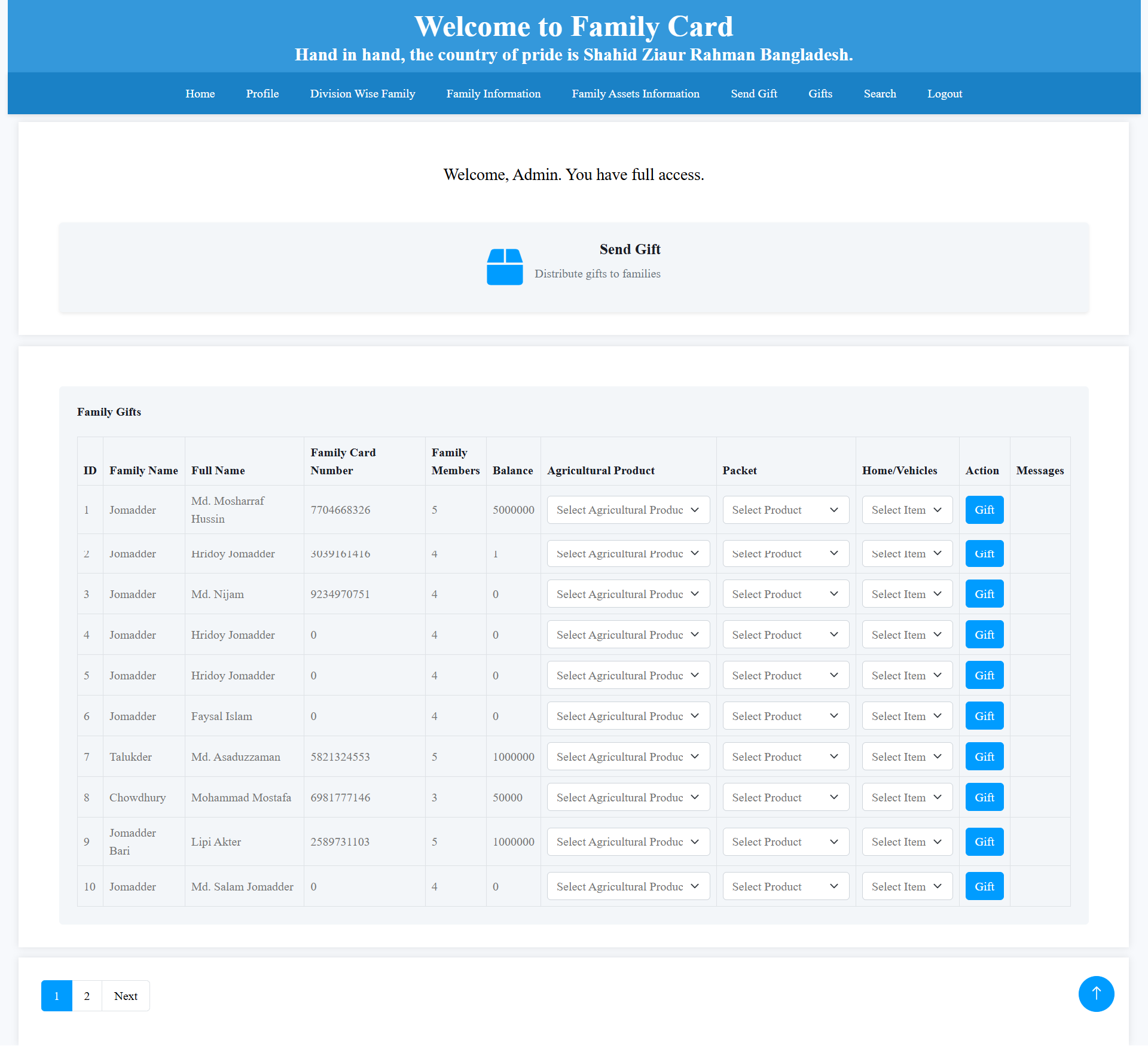
The Send Gift section allows administrators to distribute different types of benefits to registered families. For each family, administrators can select agricultural products, product packets and home or vehicle-related items before confirming the gift distribution through the system.
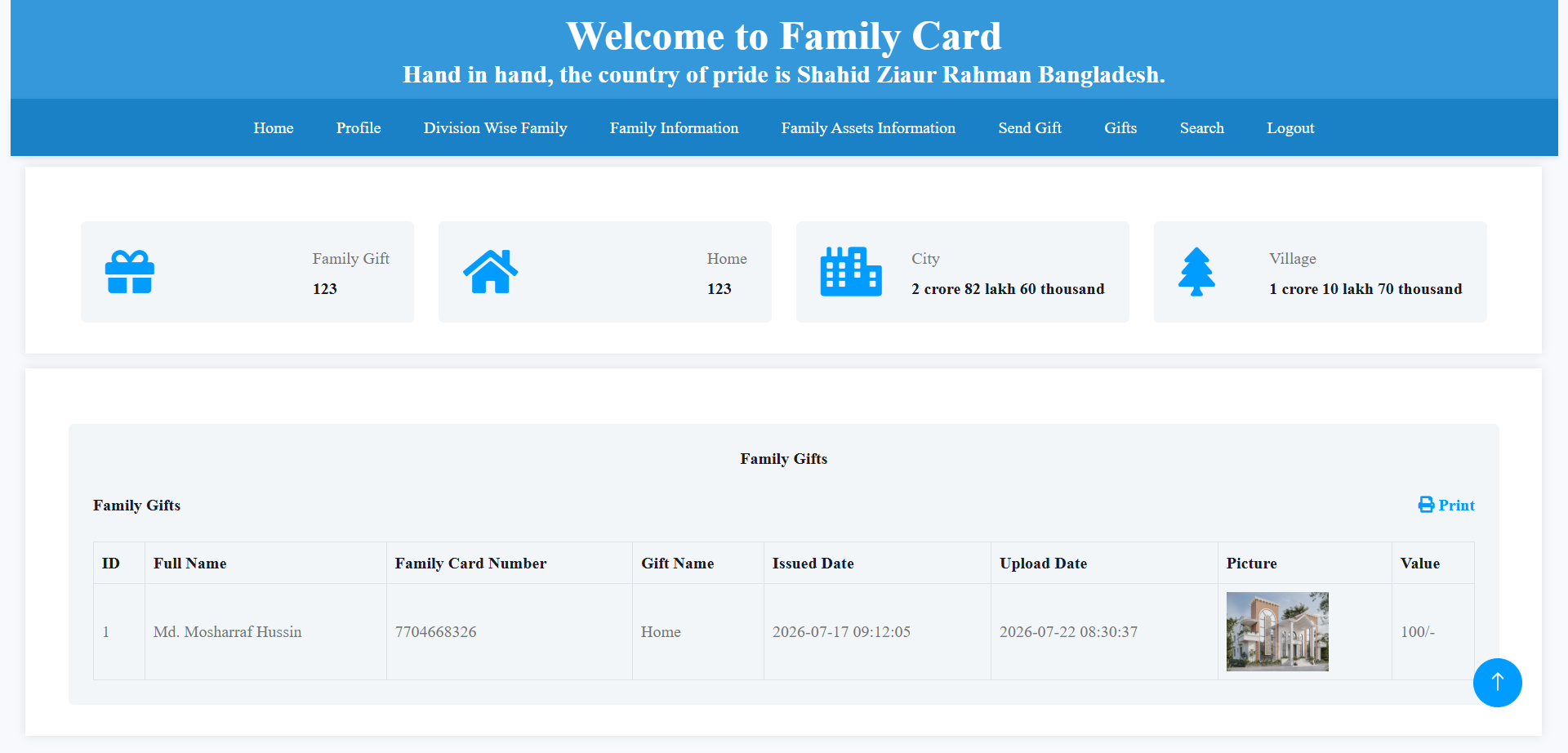
The Family Gifts page keeps a record of previously distributed benefits. Administrators can review the recipient's name, family-card number, gift name, issued date, upload date, gift image and gift value. The page also includes an option to print the available gift records.
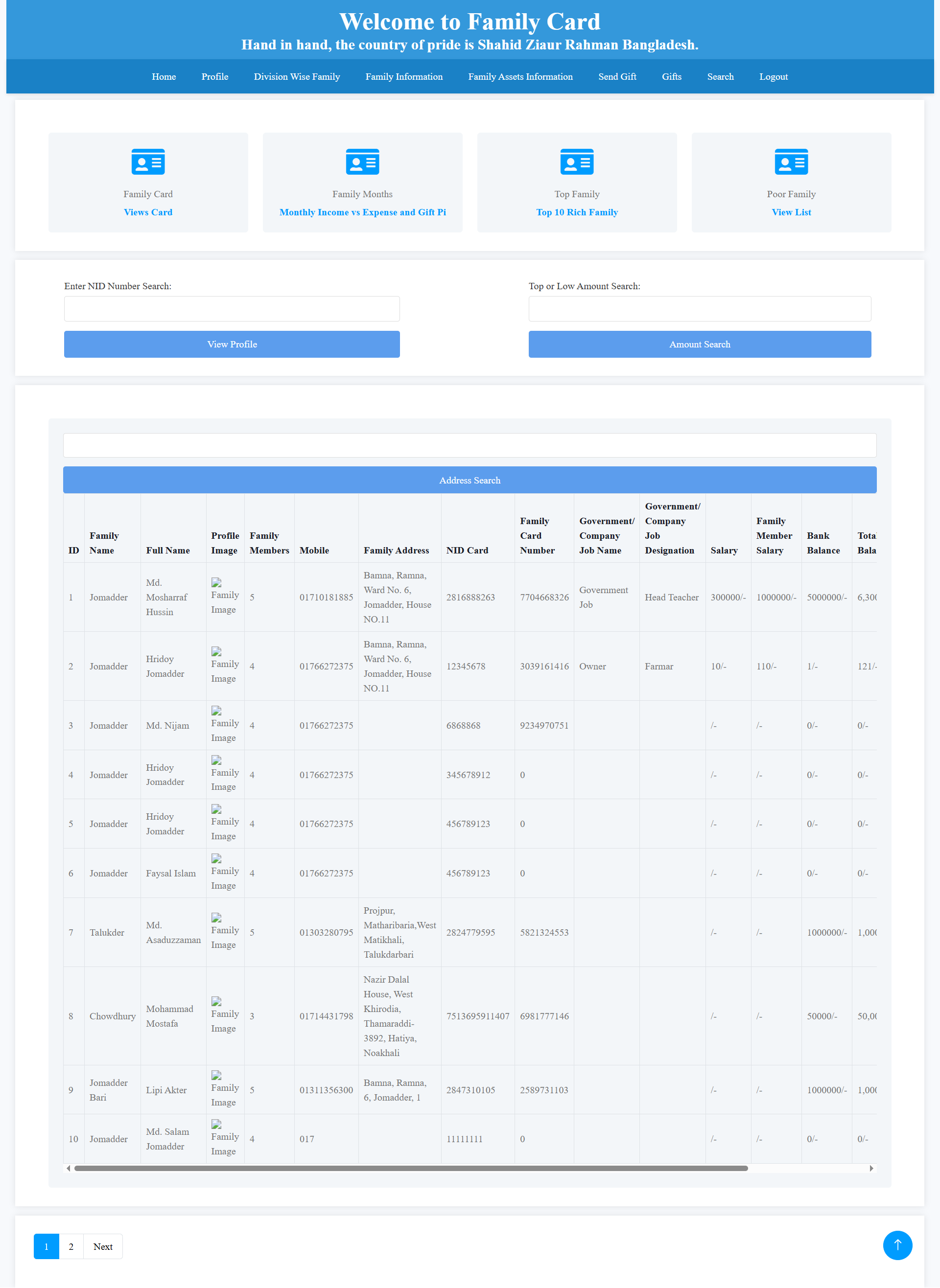
The Family Search interface allows administrators to quickly locate registered family records using available search options such as NID number, financial amount or address. Search results provide access to detailed family information for further review and management.
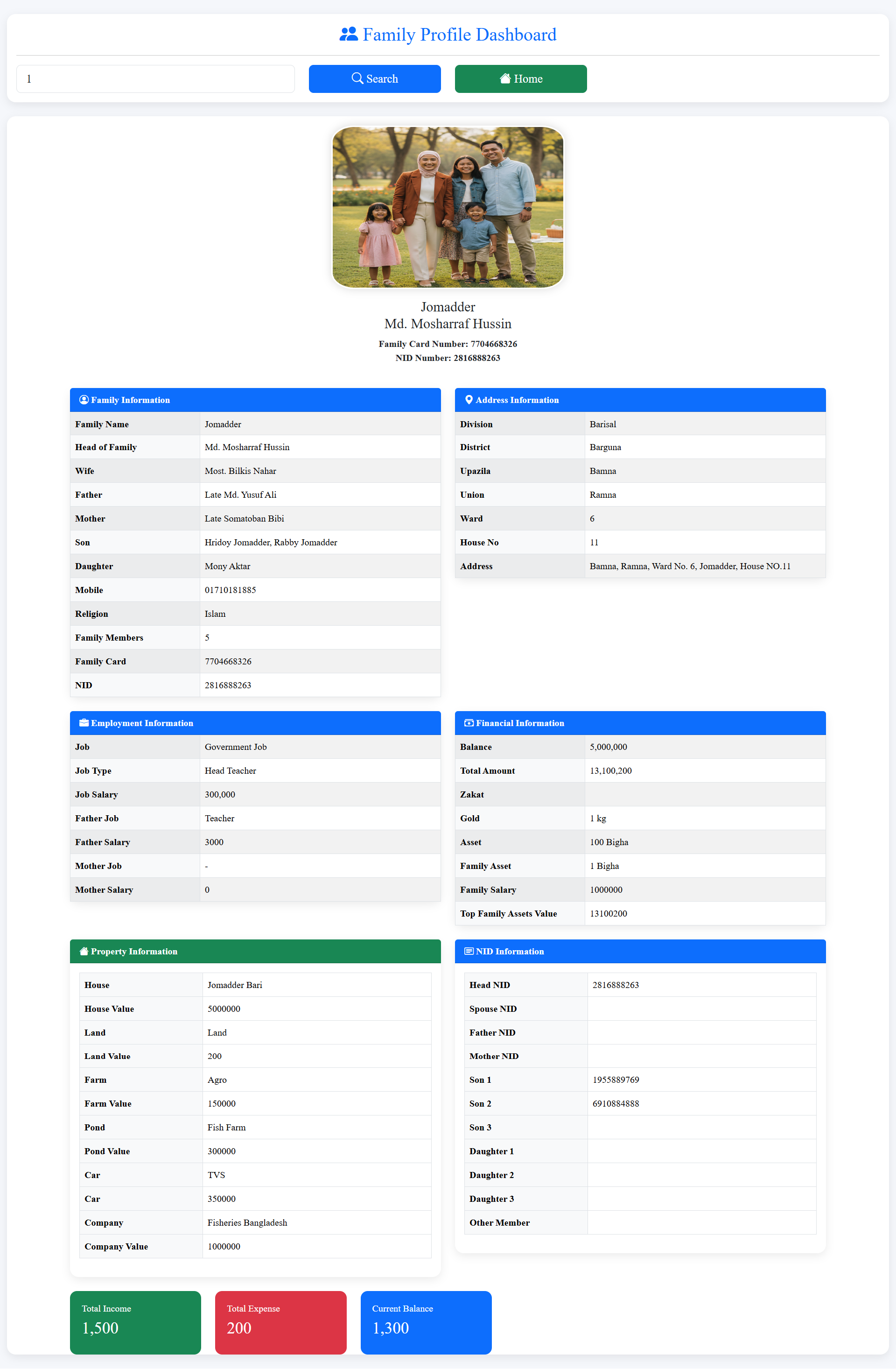
The detailed Family Profile presents complete information about an individual family, including family members, relationships, address, employment, salary, financial condition, property, assets and NID information. It also provides a clear summary of income, expenses and current balance for the selected family.
The Family Card Mobile App provides registered families with convenient access to their family information, digital family cards, gifts, notifications and other essential services through a simple and user-friendly mobile interface.
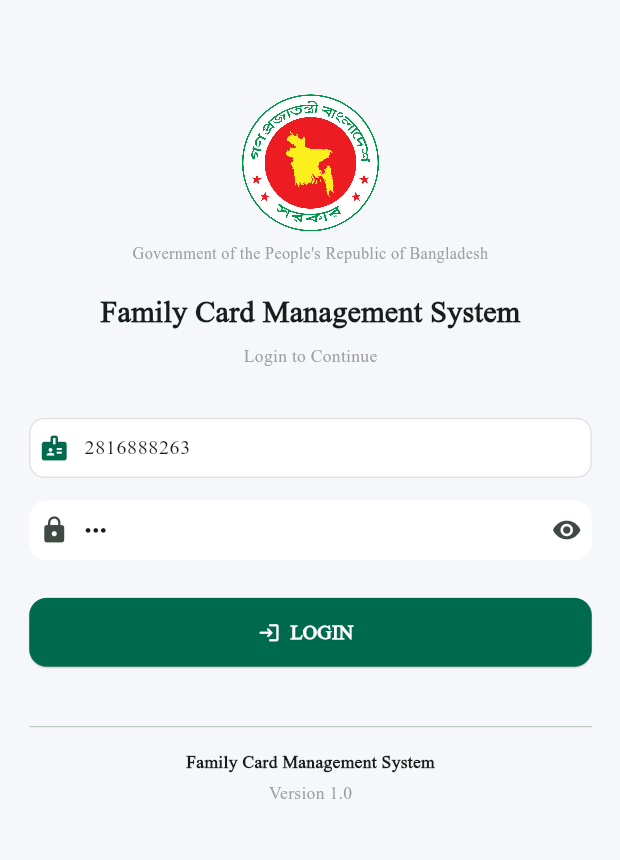
The mobile application starts with a secure login interface for registered family members. Users can enter their National ID and password to authenticate their account and securely access their personalized Family Card Management System services.
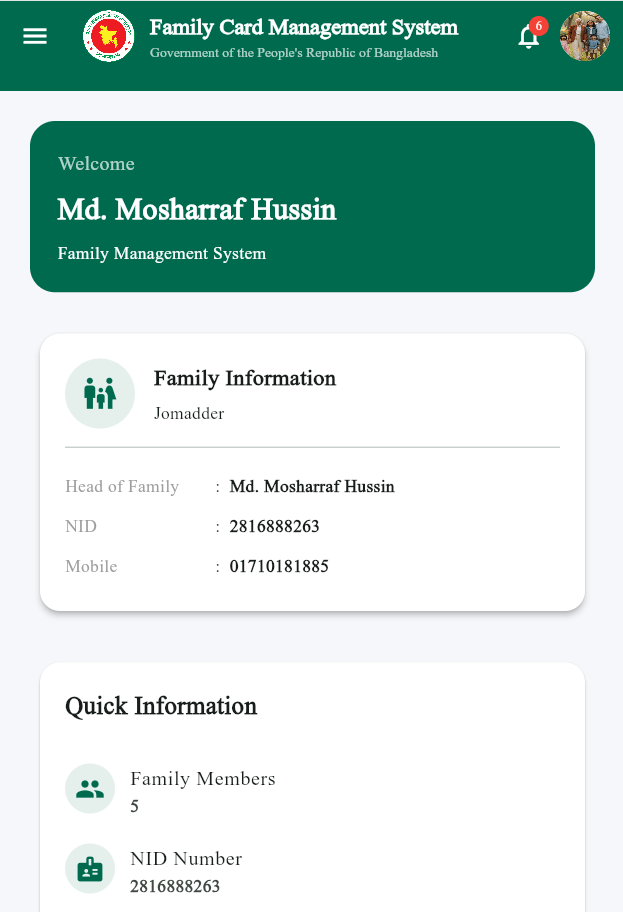
The home dashboard provides family members with a quick overview of their account and family information. Users can see their family details, NID information, family member count and other important information immediately after logging into the application.
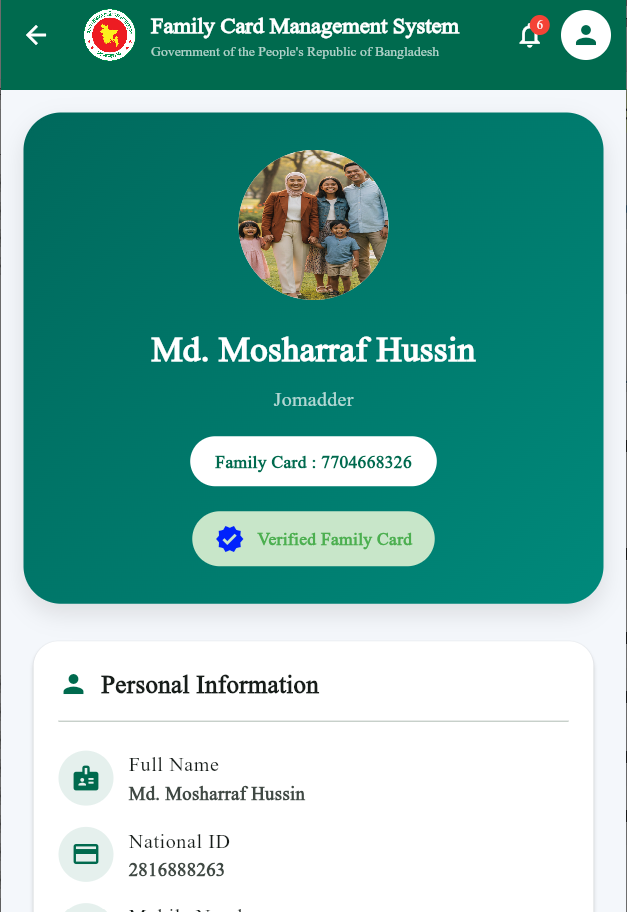
The digital family card profile presents the family head's photo, name, family name and Family Card number in a clear format. It also displays verification status and personal information such as National ID, making the digital family identity easy to view and verify.
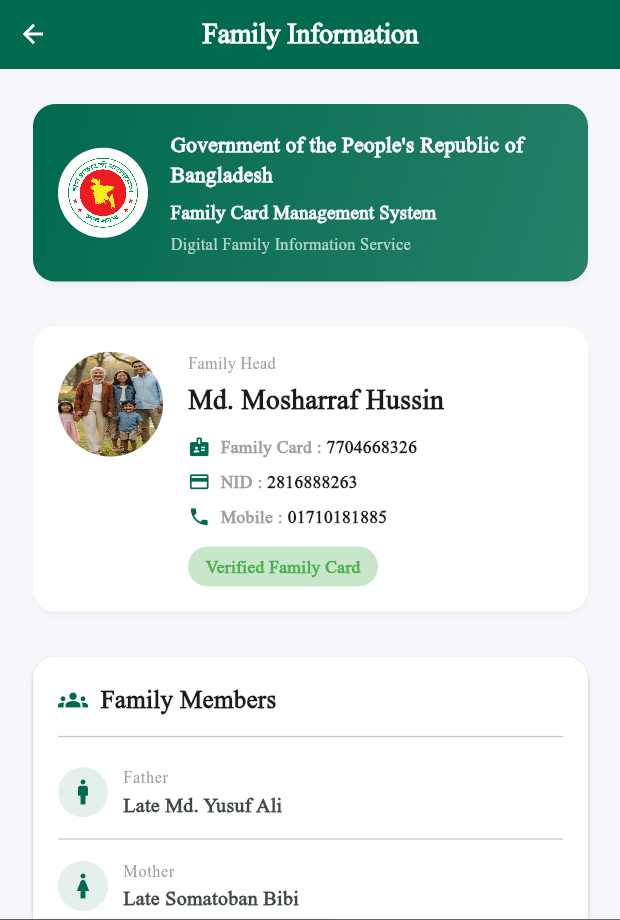
This section provides detailed information about the registered family and its members. Users can view the family head, Family Card number, NID, mobile number and individual family members along with their relationship to the family head.
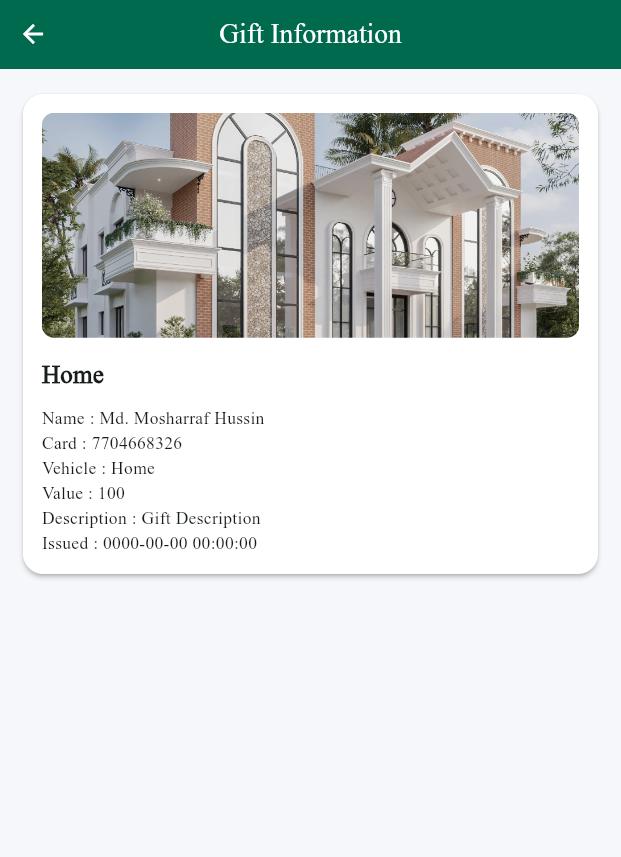
The Gift Information screen allows families to view benefits or gifts received through the Family Card program. Users can see the gift name, family card number, value, description and related information together with the uploaded gift image.
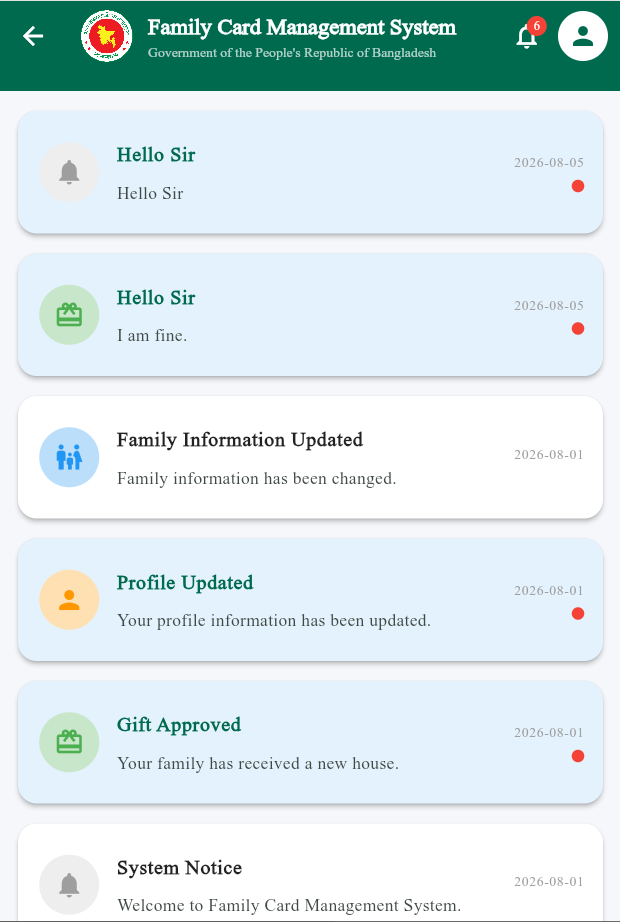
The notification center keeps family members informed about important updates and activities. Users can receive notifications related to family information, profile updates, approved gifts, system messages and other important announcements from the Family Card Management System.
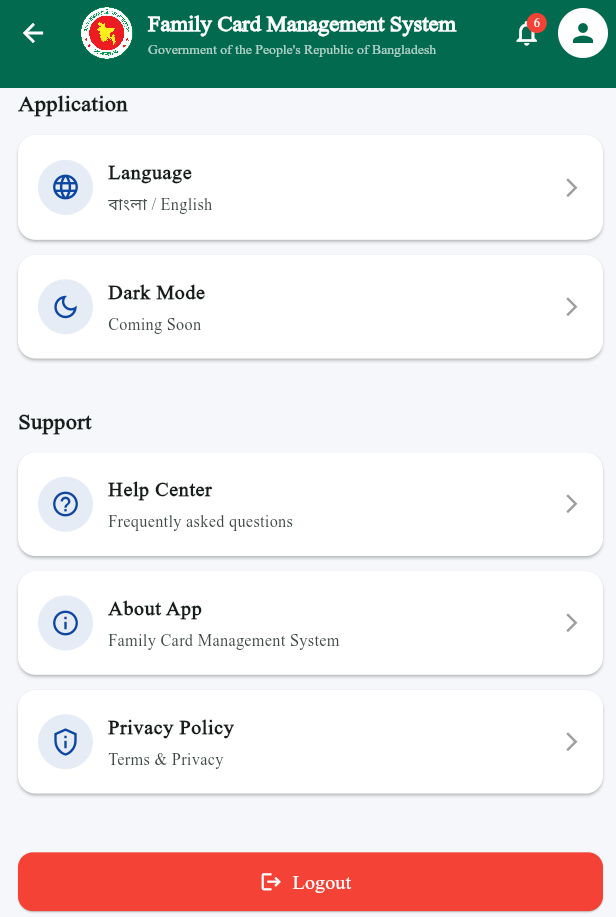
The application settings section provides users with convenient options for managing their app experience. Users can select their preferred language, access the Help Center, view information about the application, review privacy policies and securely log out of their Family Card account.
Secure login, session and account access.
Centralized family and member information.
Gift records and benefit management.
System updates and user notifications.
Digital identification through QR technology.
User profile and account information management.
Quickly find and manage family records.
Centralized administrative management.
Family Card Management System brings together family information, members, benefits, notifications and digital identification into a centralized platform. The User Panel provides easy access to family services, while the Admin Panel enables efficient system-wide management.
Project Information →A complete software project combining User Panel, Admin Panel, Backend API and Database.